 ATPenn
Why the group chat breaks down
Most clubs and regular groups start the same way. Someone posts "Tuesday 8pm, who's in?" and the replies roll in. By Thursday the same chat holds three games, two cancellations, a question about who's bringing balls and a photo from the weekend. The organiser scrolls up to count names, miscounts, and the fourth player for court 2 finds out at the gate that the game was already full.
The people in the group aren't doing anything wrong. A chat is a stream of messages in time order, and a schedule is a table: slots down one side, names across. When the stream has to act as the table, somebody rebuilds the table in their head every time a message lands. That somebody is usually you.
So take the table out of the chat and let the chat go back to being a chat. The steps below work whatever tool you end up using.
1Write down the week that usually happens
Look back over the last month and note the games that keep coming back: day, start time, court, singles or doubles, and roughly who plays. Most groups find that the bulk of their week repeats. Tuesday and Thursday evenings, a Saturday morning, maybe a Sunday slot that only fills in summer.
That list is your template. Each slot needs five things: day, time, court, format and level. A holiday week or a court closed for resurfacing is an exception to the template, not a reason to plan the whole week from scratch.
2Open the week at the same moment every week
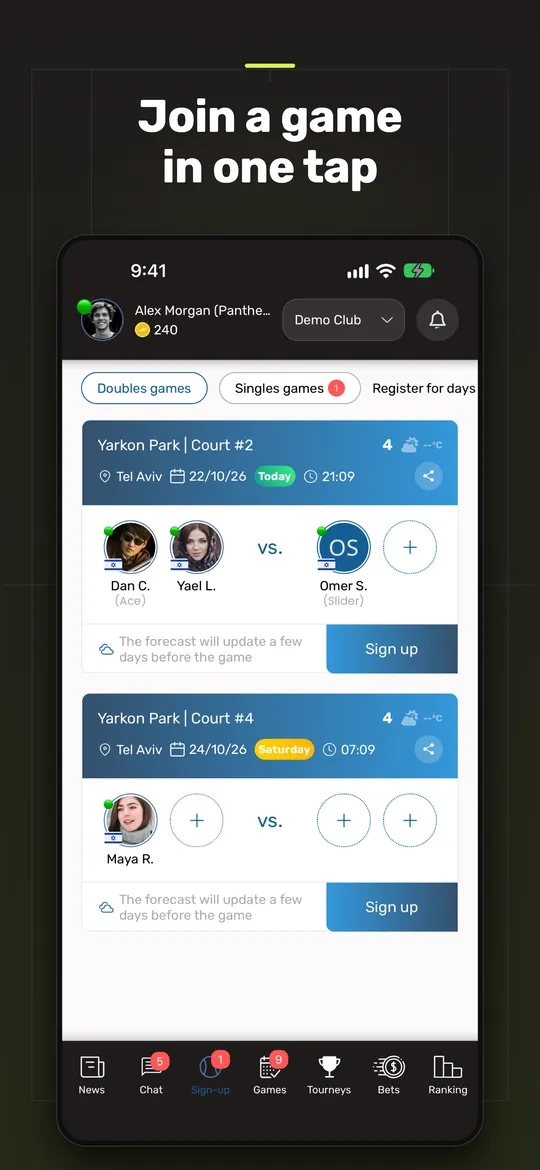
Pick a fixed time when next week's games open for sign-up and stick to it. Saturday morning suits a lot of clubs because people are thinking about their week anyway.
A fixed opening time does two jobs. Players stop asking whether next week is open yet. And first come, first served becomes fair, because everyone knows when sign-up starts. When games open whenever the organiser remembers, the good slots go to whoever happened to be looking at their phone.
3One list per game, with a hard cap
Every game gets its own list with a fixed number of places: four for doubles, two for singles. A player is in when their name is on the list, not when they've written "me" somewhere in the chat. A player is out when they take their name off, not when they mention it halfway through another conversation.
When the list is full, the game is full. It sounds obvious, but this one rule removes most of the arguments, because there is a single place to look and it can't be read two ways.
4Put a level on every slot
Mixed-ability games are fine when everyone has agreed to them. They go wrong when a strong player drops into a beginners' game because it was the only one with space, or a newer player lands in a game where nobody wants to rally with them.
Label each slot with a level. A short scale is enough: A for the stronger players, B for the developing ones, and A/B for games open to both. The A/B games do more work than they seem to. They're where players move up, and where a B player can test themselves without anyone feeling ambushed.
5Fill the gaps on purpose
Every week there's a game stuck on three. Posting "anyone for 8pm?" to the whole group rarely works, because everyone assumes someone else will answer. Asking specific people works better: players at the right level who have played recently and aren't already booked that day. "We need a fourth at B level on Thursday, are you free?" gets replies.
Check the half-full games the day before and on the morning of the game. That's when a gap can still be filled.
6Let reminders do the nagging
Chasing people is what wears organisers out. Three reminders cover most of it: on the morning of game day, a summary of who is playing where; a few minutes before the start, a nudge for anyone running late; and after the game, a request for the score. If a person has to send these by hand every week, they will eventually stop. They should go out on their own.
7Collect results the same day
Scores entered the same evening are accurate. Scores collected a week later are guesses. Ask players to enter the result straight after the game, in one agreed place, and give one person, the club manager, the right to correct a mistake. If you run a ranking, this is the step that keeps it honest. The guide to club ladders and rankings goes into that in more detail.
8Track money as a balance, not game by game
If players pay for court time, chasing every session separately turns the organiser into a debt collector. Keep a running balance per player instead. Charges go in, payments come off, and anyone who drops below zero gets a reminder with the link to pay. The awkward conversation then happens once in a while, instead of after every game.
9Keep the chat for talking
Once sign-ups, levels, reminders and scores each have their own place, the group chat gets its job back: banter, photos, who's opening a new can of balls. Club announcements still belong there, but they should stand out from the conversation so nobody misses them.