 ATPenn
Start with your week, not with the software
Clubs often pick a tool because the club down the road uses it, then spend a season bending their Tuesday nights to fit it. Do it the other way round. Write down what happens at your club in a normal week: which courts you have and when, who organises which night, how players find out a game is on, and where it tends to go wrong. That page is your shopping list.
A system for managing a padel club earns its place only if it takes jobs off that page, or makes them clearly smaller. Anything else it does is a bonus, and some of it is noise your members will have to scroll past.
What a padel club actually has to manage
A group of friends renting two courts and a members' club with courts of its own run the same core jobs. The size changes. The list doesn't.
- The schedule. Which courts you have, on which days and at what times, and which level each slot is for. At most clubs the bulk of it repeats every week.
- Sign-ups. Who is in each game, with a hard cap of four places, and who has dropped out. A player is in when their name is on the list, not when they've written "me" somewhere in a chat.
- Levels and pairs. Four players of a similar standard on each court, split into two pairs that make a close match. In padel a level gap shows within a few points, so this job matters more than people expect.
- Results. Games and sets, entered soon after the match, with one person allowed to fix a mistake.
- Rankings. Optional, but if you run one it lives or dies on those results, and in doubles it has to compare pair against pair rather than winner against loser.
- Communication. Announcements people actually see, and the everyday chat that keeps a club social.
Two more jobs sit next to these: booking the courts and keeping track of who owes what for them. Booking is usually handled by the venue's own software, and it's worth keeping it separate in your head when you compare options. A booking system and a club system solve different problems, and a tool that sells court time well can still leave you sorting levels and pairs in a group chat.
Find the jobs that actually hurt
The six don't weigh the same at every club. A social group with one fixed Thursday night has an easy schedule, and the only real pain is the fourth player who cancels at six in the evening. A club with games most nights and players at very different levels has the opposite problem: places fill easily, but getting the right four on each court takes real work.
Go down the list and mark each job as either fine, annoying, or the thing that eats your evenings. That last group is where a new system has to be clearly better than what you do now. If an app is only better at the jobs that already run smoothly, you'll spend weeks switching and get nothing back.
How to compare the options
Put every option through the same tests, and keep your current spreadsheet in the line-up. Use a real week from your club, not the demo data.
- Rebuild last Tuesday in it. Create the games, add the players, set the levels. Note every point where it's slower than what you do now.
- Use it as a player for a week. Most members will only ever sign up, check who's playing and enter a score. If that's awkward, they'll message you directly instead, and you'll be keeping two lists in step.
- Check that it understands doubles. Four places per game, a choice of side, and sets with tie-breaks and a super tie-break are the minimum. Some tools were built for singles and treat padel as an afterthought.
- Break it on purpose. Enter a wrong score, drop a player out the night before, leave a game on three. See who can fix each one, and how quickly.
- Ask what it doesn't do. A club app may not book courts, and a booking system may not handle levels or a ranking. Know which gap you'll still be filling by hand.
- Time how long a new member takes to join. If it's more than a link and a couple of minutes, some of your members won't get there, and you'll be back to two lists.
When you look at cost, compare it with the hours the organiser spends now, not with zero. Check who pays as well, the club or the players. A good system for managing a padel club should cost less than the evenings it gives back to whoever runs it.
When a spreadsheet and a WhatsApp group are enough
Plenty of clubs don't need an app, and it's worth saying so on a page that ends with one. If your club is one or two fixed games a week with the same eight to twelve players, a shared spreadsheet and the group chat you already have will do. Everyone knows everyone, levels sort themselves out, and nobody needs a ranking to enjoy Thursday.
The same goes if your members won't install anything. A system that half the club ignores is worse than a spreadsheet everyone opens.
You've outgrown the spreadsheet when these start to sound familiar:
- You count names in the chat before every game and still get it wrong now and then.
- Players join games above or below their level because nothing stops them.
- Scores reach you days late, or never, so the ranking is mostly guesswork.
- Club announcements are buried under match chat within the hour.
- The whole week lives in one person's head, and the club stalls when they're away.
Two or three of those means it's time to look. The guide to running a weekly schedule without WhatsApp chaos sets out the routine any tool should support, spreadsheet included.
Set it up properly before you switch
Whatever you pick, the first month decides whether it sticks. Before you announce anything, put your regular weekly games in, set every player's level yourself (self-rated levels are a mix of modesty and optimism), and agree who is allowed to correct a result. Then run the new system alongside the group chat for two or three weeks, and name a date after which sign-ups in the chat no longer count. As long as you keep accepting "me too" in WhatsApp, you have two systems and neither is complete.
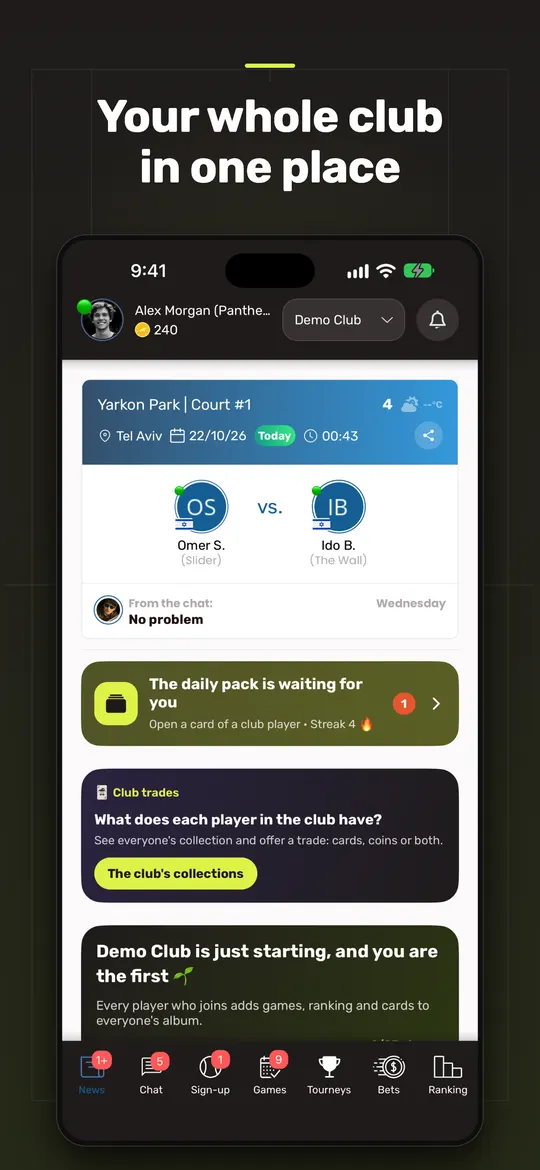
At a bigger club, move one job at a time: sign-ups first, then results, then the ranking. The guide to padel courts, pairs and levels and the guide to club ladders and rankings cover those parts in detail. How ATPenn handles the list above is described below and on the page for clubs, and if you want to try it with your own players you can get the app.